DocsDesign
Design: directions, prototypes and assets
Design is Qwanter's canvas. It designs your website or app before it's built, and everything it decides stays in the project so Build follows it.
Visual directions
Before designing a new website, Qwanter asks how you want it: Quick, a good design in less time, or Detailed, with more care in every section. With Antares there's a third option, Maximum: Qwanter at full power, with the utmost care in every detail (it takes longer and uses more credits). Then it looks at one or two styles from the Library and tells you what it takes from them.
The Library has 16 styles and, on Jupiter and Antares, animated backgrounds. You can mention any of them in the chat with its "#" and Qwanter uses it as is.
Page-by-page prototypes
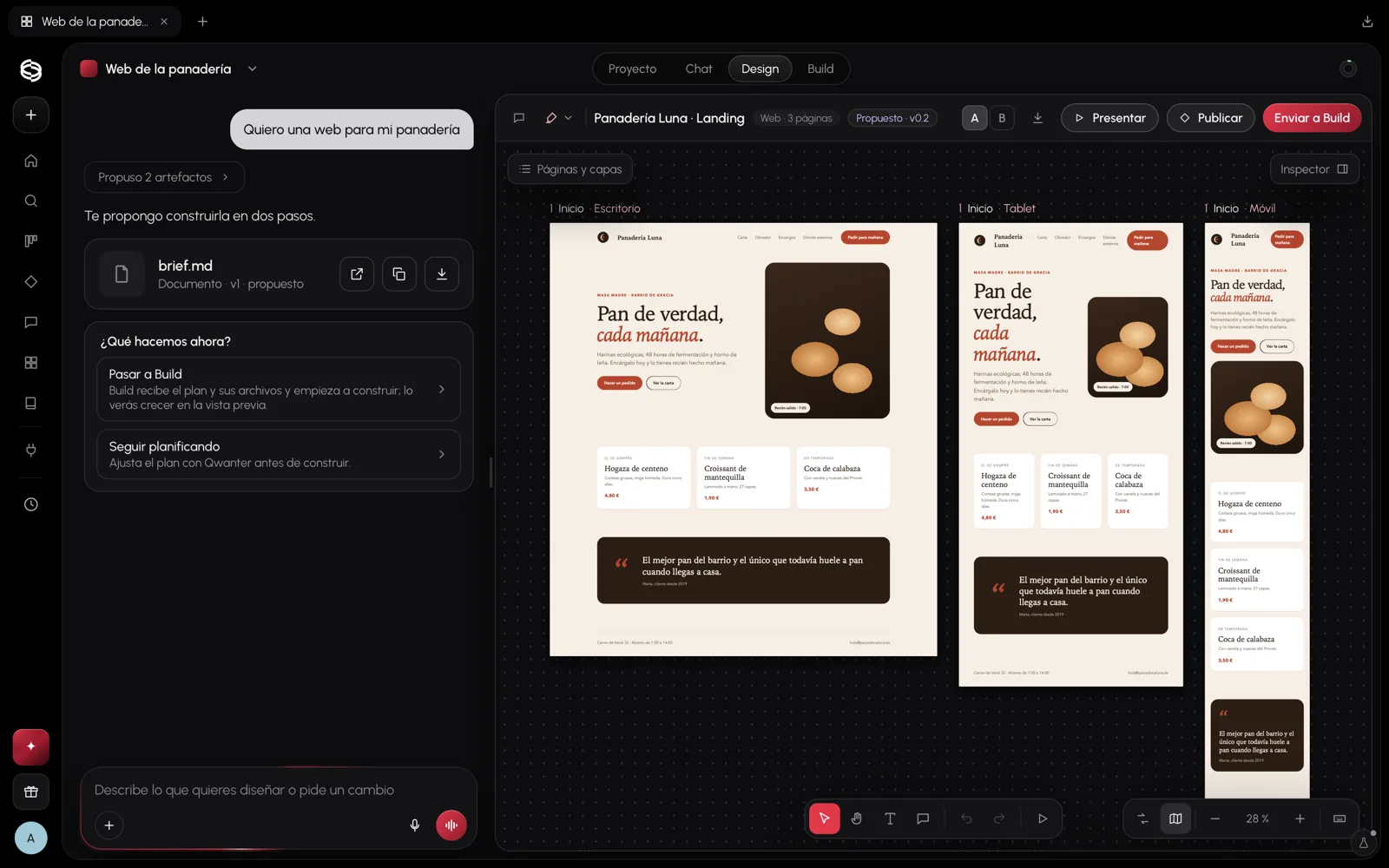
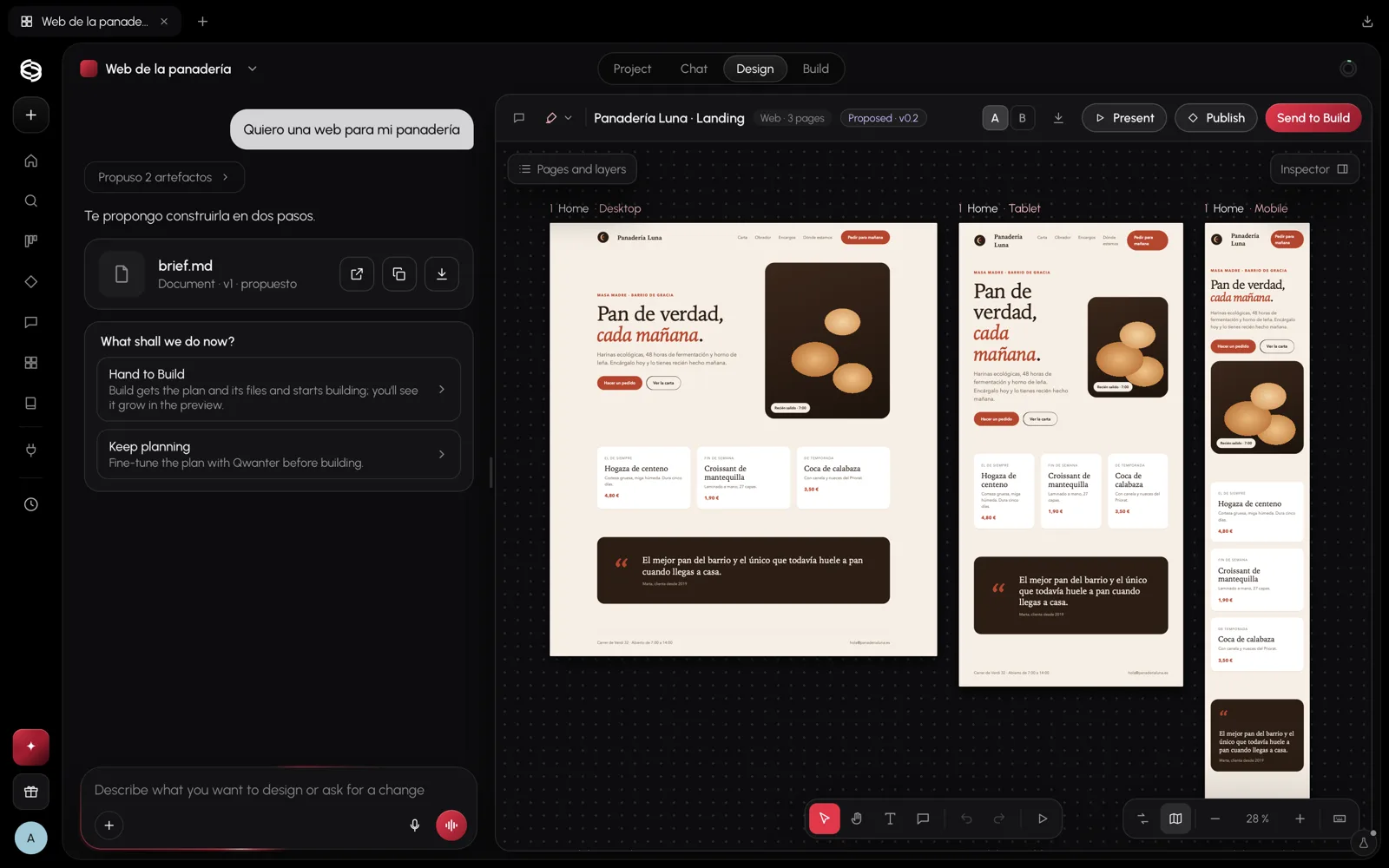
On the canvas you see every page on desktop, tablet and mobile at once. From the bottom bar you can select elements, move the canvas, change texts, leave comments and present it.
- Changes by pointing: select an element and ask for the change in the chat; Qwanter changes exactly that one.
- Manual tweaks: the Inspector changes colours, texts and spacing without using credits.
- Variants: compare version A and B of a design before keeping one.
- Send to Build: when you like it, Build builds the website from the design.
Tokens and components
Your brand's colours, typefaces, spacing and radii are saved as tokens in the project. Build uses them when building, so the website comes out in your style and changing a brand colour changes it everywhere.
Presentations, emails and images
Design also makes presentations, the HTML for your emails and images: it can create new photos or edit yours.
You can export any design as PDF, PNG, JPG or HTML. On the Mars plan exports carry a small "Made with Qwanter" stamp; on Jupiter and Antares they don't.